
A product demo video is not a tour of every feature. It is a guided answer to the buyer’s question: “Will this solve my problem?”
AI makes product demos easier to plan, voice, animate, translate, and repurpose. But the demo still needs real product truth. If the tool cannot do something, the video should not imply it can. The fastest way to ruin trust is to let AI make the product look better than reality.
Start with the shopper or buyer problem, not the AI tool
The lazy version is asking AI for “a quick product demo” and shipping the first render. That gives you a glossy feature montage, narration that sounds like a brochure, and nothing that answers whether the tool fits the buyer's situation.
The useful version starts with a buyer who is mid-decision. Are they comparing you against a competitor, unsure the setup is worth it, or worried a key feature is locked behind a higher plan? Once you know which doubt is stopping the purchase, AI can help you script the demo, plan the screen flow, narrate it, and cut versions for the product page, the sales follow-up, the ad, and onboarding.
Write the brief before you generate
A product demo has a built-in trap: you know the product too well, so you describe features instead of outcomes. Write a brief that forces you back into the buyer's seat, naming exactly what they need to see before they trust the tool. Skip this and the demo turns into a feature tour nobody finishes.
- Buyer: who is evaluating this product, and what objection is stopping them from buying?
- Promise: which single job does this demo prove the product can do?
- Proof: which real screen, footage, or before/after dashboard makes that claim believable?
- Format: product-page loop, sales-call asset, ad cut, onboarding walkthrough, or full feature deep-dive?
Make the first line earn attention
A buyer clicking a demo is deciding within seconds whether this product is worth their time, and a skeptical one is already half-looking for a reason to bounce. A demo has to justify every extra second of runtime rather than assume it; length is permission to be thorough, not to ramble.
A demo hook should name the problem the product kills, not the product itself. Buyers do not care that it is "a new tool" — they care that the spreadsheet, the manual step, or the slow handoff is about to disappear. Open on the pain or the payoff, never on "Let me show you our platform."
Write 12 opening lines for a product demo video. Each must name the buyer's problem or the payoff in under 12 words, avoid hype the product can't back up, and make sense on a muted product page.Storyboard before you generate scenes
A demo storyboard is where you decide which shots are real product captures and which are AI-staged, before you generate anything. Mark each frame: screen recording, real screenshot, AI B-roll, or avatar narration. That tag list is also your honesty map — it stops AI scenes from quietly standing in for a feature you never actually showed.
For a short demo, five to seven shots usually carry it: the problem on screen, the product opening into context, the one feature in action, the proof or result, and the next step. For a longer walkthrough, break it into the screen flows a buyer would actually click through in order.
Edit for retention, not decoration
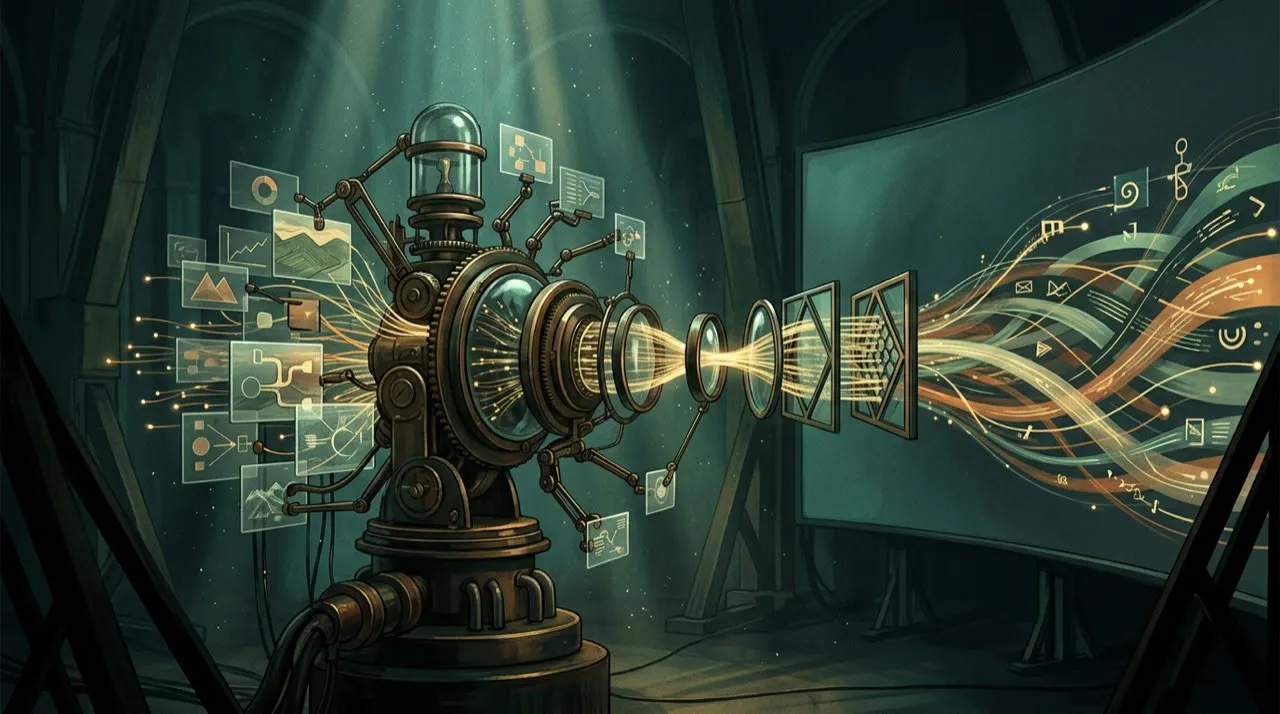
A polished render still loses the buyer if the demo takes forever to reach the point. Cut the login, the empty-state screen, and the menu hunting. Caption the action, not the obvious. Show the feature working in the first few seconds, then explain — buyers leave before they reach a payoff you saved for the end.
Run a buyer-skepticism test on the cut: pause at any frame and ask whether a prospect could screenshot it and call it misleading. If a moment only looks impressive because the edit hid the setup, the demo is overselling and you need to put the real steps back in.
Measure versions, not vibes
One demo cut rarely answers every buyer. Generate versions that lead with different objections — price, setup time, integration, the "does it really do X" doubt — not just a recolored thumbnail. Change which feature opens the demo, swap the proof shot, and rework the CTA. Then compare demo completion rate, clicks to pricing, and how many viewers actually start a trial.
Because AI lets you spin up these demo variants fast, use that speed to find which proof shot converts, not to publish ten lookalike walkthroughs of the same screen flow.
What “no camera needed” really means
No camera does not mean no evidence. You still need accurate product images, screenshots, CAD renders, screen recordings, or approved assets. AI can animate, explain, stage, and edit. It should not invent the product.
The more physical the product, the more you should anchor the video in real assets.
Demo script formula
Problem → product in context → one main feature → proof/use case → objection answer → CTA

Keep it under 45 seconds for cold traffic. Use longer versions for product pages and onboarding.
Build a creative testing system

The biggest advantage of a no-camera demo is not that it skips a film crew. It is that you can build a demo for every type of buyer — and test which proof shot actually moves them — without rebooking a shoot each time.
For each campaign, create a small demo matrix:
- Audience: beginner, expert, budget buyer, premium buyer, existing customer
- Pain: time, cost, risk, confusion, social proof, missed opportunity
- Proof: demo, comparison, testimonial, data point, teardown, before/after
- Format: UGC-style, product demo, avatar explainer, founder POV, tutorial
- CTA: try, book, compare, download, watch, reply, visit
Generate combinations, then cut the weak ones before you record a single real screen. A matrix like this keeps every demo pointed at a specific buyer doubt instead of becoming a generic "here's everything our product does" tour.
The KPI hierarchy
Match the demo cut to where the buyer is in the decision.
A top-of-funnel demo that runs as an ad or a social teaser should be judged by hook hold-rate, the share of viewers who reach the feature-in-action moment, and clicks to the product page. A product-page or comparison-stage demo should be judged by completion rate, scroll-to-pricing, comparison-page visits, and how many viewers add the product to a shortlist or save it. A sales-and-onboarding demo should be judged by trial starts, activation on the feature it showed, demo-to-booked-call rate, and how many support questions it removes before the call.
A detailed walkthrough that proves one hard objection rarely racks up views, but it can collapse a buyer's "does it really do X" doubt and move them to a trial, so do not bury it because a flashier teaser out-viewed it. A slick 15-second product montage may rack up impressions and still send no one to pricing. Decide which buyer doubt the cut was built to answer, then judge it on whether it moved that doubt — not on whichever number is highest.
A practical product demo video with AI workflow
Pick one feature or one buyer objection to prove. Not the whole product. Not a "launch video." One claim the demo has to make true on screen.
Write down the buyer, the promise, the proof shot, and where the demo will run. Then draft three hooks and one storyboard tagged for real captures versus AI scenes. Generate only after that shot list is locked. Edit the first cut, then build two versions that lead with different objections. Publish, watch where viewers drop, and rebuild the winner with a tighter open and a stronger proof moment.
That is the demo loop:
- The buyer evaluating the product
- The objection blocking the purchase
- A hook that names the problem
- A shot list of the product in use
- Capture and render the scenes
- Edit to the one job it proves
- A cut that answers a second objection
- Publish on the buying page
- Measure demo-to-signup
- Rebuild the cut that closed deals
Most demos fail because someone renders scenes before deciding what the product actually has to prove on camera. It feels faster, but it ships a slick video that answers a question no buyer was asking.
The pre-publish demo check
Before a demo goes live, hold it against five product-truth questions:
- Does every feature shown actually exist and work the way the video implies?
- Are the screens, footage, or images real product assets, not AI-invented mockups?
- Does the demo show the genuine effort or setup, instead of faking a one-tap result?
- Are paywalled steps, prerequisites, or limitations disclosed rather than hidden?
- Would the buyer feel the product matched the demo on day one?
A demo that fails any of those checks is not ready to ship the moment the export bar fills. AI can make a demo cheaper to produce. It cannot make an overstated product claim safe.
Demo the moment of value
Do not start with menus, specs, or a sweeping brand statement. Start where the user feels the payoff. For software, that might be the dashboard after a task is completed. For a physical product, it might be the first use, the setup, or the before/after.
Then work backward. Show the minimum steps needed to reach that value. Use AI for voiceovers, scene planning, captions, and alternate platform versions. Use real screenshots, product footage, or verified images for anything the buyer will rely on.
Where Vivideo fits in a demo workflow
For product demos, Vivideo lets you choose how much control you want: an agentic AI chat that can plan the demo and assemble it scene by scene, one-prompt generation for quick concept drafts, and a manual mode for when the demo has to follow an exact screen flow or proof sequence. Brand kits and templates keep the look consistent with your product, AI voices and avatars handle the narration without a shoot, and API/CLI/MCP access lets you regenerate localized or updated demos as the product changes — while you keep the real screenshots and footage at the center.
Product demo video with AI: build the proof shot list
A demo video is not a mood board. It must answer the buyer’s practical questions. Before using AI, write the proof shots the video needs.
For a physical product, that may include:
- Size in hand or in room
- Unboxing or first setup
- Material close-up
- Product in use
- Before and after result
- Common mistake or limitation
For software, it may include:
- The starting problem
- The exact screen flow
- The moment of value
- The before/after dashboard
- The integration or export step
- The next action the viewer should take
AI can generate scenes, voiceovers, avatars, and supporting visuals, but real demos need real constraints. If the product takes five minutes to set up, do not imply it takes five seconds. If the software requires a paid plan for a feature, do not hide that in the demo. Trust beats polish.
Conclusion
A demo converts when it shows a real buyer the exact moment your product solves their problem. The tools can build the scenes and the voice, but you are the one who picks the single claim worth making and decides whether a buyer should believe what the screen shows.
Run every demo through one filter: name the one claim it makes, anchor it in a real screen or product shot, cut straight to the value, confirm nothing on screen overstates what the buyer actually gets, and track whether viewers move toward a trial. That is how a no-camera demo earns trust instead of inflating it.
If you want one place to storyboard a demo, narrate it without a shoot, keep it on-brand, and regenerate it every time the product ships an update, you can start at vivideo.ai.