



 GoogleFree
| Developer | Lightricks |
| Origin | Israel |
| Released | LTX-2 · Jan 2026 |
| Native audio | Yes |
| Max resolution | 4K |
| Max clip length | Up to 20s |
| Availability | Open weights · Open weights (LTX-2 Community License) |
| Available via | API · open weights · ComfyUI |
| Pricing from | $0.04 / sec |
Use the LTX-2 AI video generator for high-volume, cost-efficient work: many ad variants, localized cuts and fast 4K drafts. LTX-2's open weights, speed and low price make it ideal when you need a lot of video, quickly.
Background. LTX-2 is developed by Lightricks and released under the LTX-2 Community License with open weights. It's popular for fast, affordable 4K generation and ComfyUI pipelines. On Vivideo the LTX-2 AI video generator runs online with no setup, GPUs or weight management.
Open Vivideo and start a new video.
Select LTX-2 as your model — or let the Video Agent pick it for you.
Describe your shot (or upload an image) and set duration and aspect ratio.
Generate with LTX-2, then refine, add a voice or avatar, and export for any platform.
Vivideo puts Lightricks' open-weights LTX-2 in your browser with no ComfyUI, no GPUs and no setup. Generate LTX-2 videos from text or image prompts in up to 4K with audio, and export them watermark-free.
LTX-2 sits beside 30+ other AI video models on Vivideo, so you can run high-volume LTX-2 renders, switch to Sora 2 or Veo 3.1 for a hero shot, and stitch it into one edit — the fastest way to use the open-source LTX-2 AI video generator online.
LTX-2 is the model to pick for volume. Its open weights, speed and low cost make LTX the choice for many ad variants and localized cuts, where per-clip pricing on closed models adds up.
On Vivideo you generate LTX-2 footage online with zero ComfyUI setup and export it watermark-free.
Open weights and full transparency
Fast, low-cost renders for high volume
Watermark-free LTX-2 exports on Vivideo paid plans
Natively LTX-2 runs in ComfyUI on your own GPUs. On Vivideo you reach the same LTX-2 model — up to 4K with audio — in the browser, with nothing to install or configure.
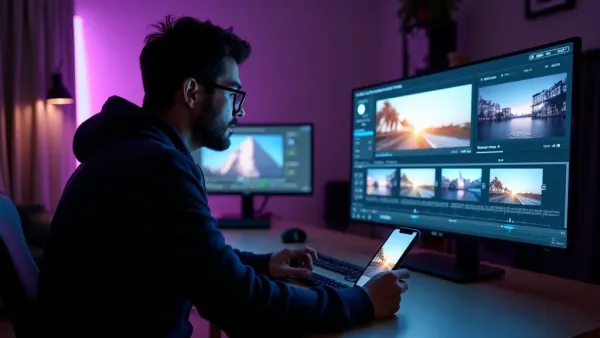
Batch renders, then finish with captions, voice and a soundtrack in Vivideo's editor.
Vivideo runs both LTX-2 text-to-video and LTX-2 image-to-video. Write a clear prompt or upload a still, and LTX-2 returns fast 4K results built for high-volume production.
Precise prompts scale well with LTX-2; direct the shot, and the LTX-2 AI video generator returns many variants you can refine.
LTX-2 text-to-video from a written prompt
LTX-2 image-to-video from a single photo
Up to 4K output with audio
LTX-2 is the pick whenever speed, cost and volume matter more than squeezing out the last bit of realism.
Vivideo is more than an LTX-2 video generator — it's the whole workflow. Generate fast 4K with LTX-2, edit the result, and localize it into 30 languages without leaving your browser.
LTX-2 is Lightricks' open-weights video generation model — up to 4K with audio, released under the LTX-2 Community License. As an AI video generator, LTX is prized for speed, low cost and transparency, which is why developers run it in ComfyUI pipelines.
On Vivideo you can use the LTX-2 AI video generator online with zero setup — no ComfyUI, no GPUs. LTX-2 is one of 30+ AI video models on a single subscription. Run LTX-2 text-to-video from a prompt or LTX-2 image-to-video from a still, and switch models per shot.
Because LTX-2 is open-source and inexpensive (from about $0.04 per second natively), it's the model for volume. On Vivideo you get watermark-free LTX-2 output without managing weights or infrastructure.
LTX-2 rewards clear prompts and scales well. A precise LTX-2 video prompt returns fast 4K results, so you can produce many ad variants or localized cuts without a per-clip premium.
LTX-2 has trade-offs: raw realism can trail closed models on hero shots. For a flagship scene, Vivideo lets you switch to Sora 2 or Veo 3.1, then use LTX-2 for the high-volume rest — all in one edit up to 10 minutes.
Is LTX-2 free? You can try the LTX-2 AI video generator free on Vivideo with daily generations, no credit card and no ComfyUI. Upgrade cheaply for watermark-free video.
Watch a prompt become a fast 4K clip — then make your own LTX-2 AI video free on Vivideo.
Use the open-source LTX-2 AI video generator online on Vivideo — no ComfyUI, watermark-free 4K exports. Feed it a prompt or an image to get going.
Yes — try the LTX-2 AI video generator free on Vivideo with daily generations, no credit card and no ComfyUI setup. Paid plans hand you clean exports and generous generation limits.
Open weights mean transparency, a large community and fast iteration — LTX-2 improvements land quickly and pricing stays low. For high-volume work like ad variants, that cost profile matters more than squeezing out the last bit of realism.
Yes — LTX-2 outputs up to 4K with audio. On Vivideo you get that resolution online without ComfyUI, GPUs or weight management.
No — natively LTX-2 is run via ComfyUI or open weights, but on Vivideo you use the LTX-2 AI video generator in your browser with zero setup. Pick LTX-2 and generate.
Yes — LTX-2 is fast and inexpensive, so it's ideal for producing many ad variants or localized cuts. On Vivideo you can batch LTX-2 renders without a per-clip premium.
Yes — on Vivideo, LTX-2 does both: text-to-video from a prompt and image-to-video from a still, with model switching per shot.
Natively LTX-2 is inexpensive (from about $0.04 per second). On Vivideo it's included in one subscription alongside 30+ models, so you don't pay per LTX-2 clip.
Native LTX-2 clips are short but extend well. Vivideo chains multiple LTX-2 shots — and mixes in other models — into finished videos up to 10 minutes.
Veo 3.1 leads on hero-shot realism; LTX-2 wins on speed, cost and volume. On Vivideo you can use Veo 3 for the flagship shot and LTX-2 for the rest, in one project.
Yes — Vivideo runs the LTX-2 AI video generator in any modern browser, so you can use LTX-2 on a PC, Mac or phone with no GPUs or ComfyUI.
Yes — Vivideo is a free LTX-2 AI video generator online: pick LTX-2, generate with daily free credits, no setup. A low-cost plan clears the watermark.
Each model is one of 30+ in Vivideo — switch per shot to get exactly the look you want.
GoogleFree Google
 OpenAI
 OpenAI
 ByteDance
A full 30 seconds in one shot, with native audio.
 ByteDance
State-of-the-art motion, realism and native audio.

 Kling
Kling Kling
Kling