




 GoogleFree
| Developer | Alibaba |
| Origin | China |
| Released | Wan 2.6 · Dec 2025 |
| Native audio | Yes |
| Max resolution | 1080p |
| Max clip length | Up to 15s |
| Availability | Open weights · Apache 2.0 (open weights ≤ 2.2) |
| Available via | Open weights · DashScope API |
| Pricing from | $0.10 / sec |
Use the WAN AI video generator when a video needs several connected shots: story sequences, explainers and multi-scene clips. WAN 2.6's multi-shot consistency and native audio keep characters and settings stable across cuts.
Background. WAN is developed by Alibaba, with WAN 2.6 the current release and earlier versions available as open weights under Apache 2.0. It's known for multi-shot consistency and native audio. Natively it runs via DashScope; on Vivideo the WAN AI video generator is available online with no setup.
Open Vivideo and start a new video.
Select WAN 2.6 as your model — or let the Video Agent pick it for you.
Describe your shot (or upload an image) and set duration and aspect ratio.
Generate with WAN 2.6, then refine, add a voice or avatar, and export for any platform.
Vivideo puts Alibaba's WAN 2.6 in your browser with no DashScope account and no setup. Generate WAN videos from text or image prompts with consistent multi-shot scenes and native audio, and export them watermark-free.
WAN sits beside 30+ other AI video models on Vivideo, so you can run a WAN multi-shot sequence, switch to Sora 2 or Veo 3.1 for a hero frame, and stitch it into one edit — the fastest way to use the WAN AI video generator online.
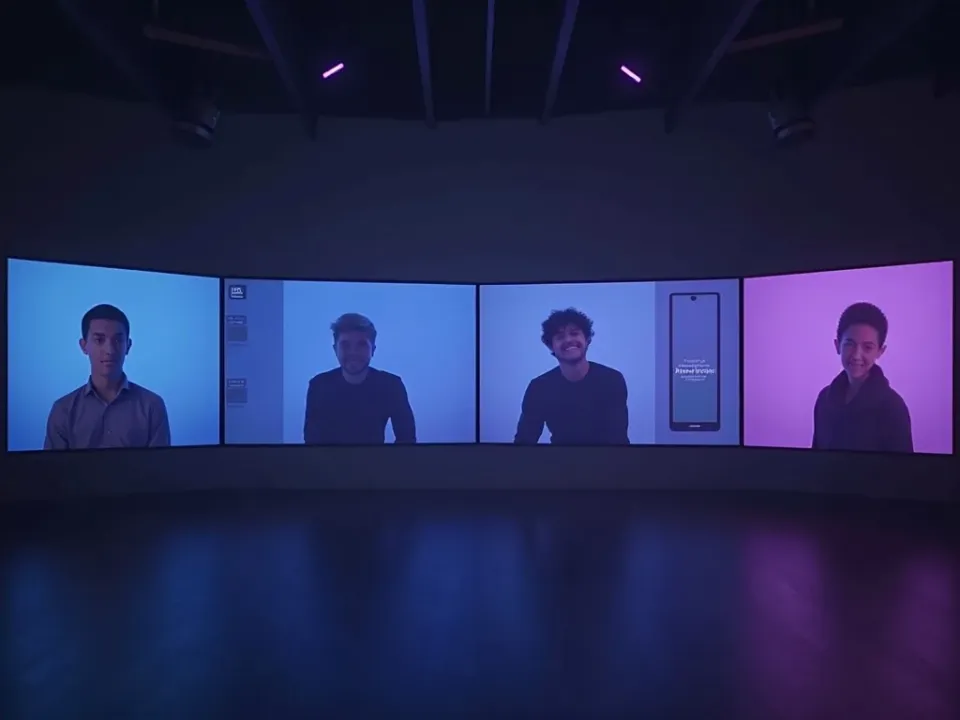
WAN 2.6 is the model to pick when a video needs several connected shots. It keeps characters and settings stable across cuts, which is why WAN is a strong choice for explainers and short narratives where single-shot models drift.
On Vivideo you generate those consistent WAN sequences online and export them watermark-free — no DashScope, no downloader.
Multi-shot consistency across cuts
Native soundtrack synced to motion
Watermark-free WAN exports on Vivideo paid plans
Earlier WAN versions ship as open weights under Apache 2.0, which built a strong developer community. On Vivideo you use the hosted WAN 2.6 model online, with no weights or GPUs to manage.
Generate freely, then finish your WAN clip with captions, voice and a soundtrack in Vivideo.
Vivideo runs both WAN text-to-video and WAN image-to-video. Describe a sequence or upload a still, and WAN 2.6 carries the subject across connected shots with native audio.
Story-led prompts get the most from WAN; describe the sequence, and the WAN AI video generator returns continuous, consistent results you can refine.
WAN text-to-video from a written prompt
WAN image-to-video from a single photo
Consistent characters across shots
WAN is the pick whenever a video needs several connected, consistent shots rather than one clip.
Vivideo is more than a WAN video generator — it's the whole workflow. Generate consistent sequences with WAN 2.6, edit the result, and localize it into 30 languages without leaving your browser.
WAN is Alibaba's video generation family, with WAN 2.6 the current release. As an AI video generator, WAN is known for multi-shot consistency and native audio — it holds characters and settings stable across cuts, which most single-shot models can't.
On Vivideo you can use the WAN AI video generator online without a DashScope or Alibaba Cloud account — WAN 2.6 is one of 30+ AI video models on a single subscription. Run WAN text-to-video from a prompt or WAN image-to-video from a still, and switch models per shot.
WAN's earlier versions ship as open weights (Apache 2.0), which built a strong developer community. On Vivideo you get WAN 2.6 output online without managing weights or infrastructure.
WAN rewards story-led prompts. Describe a sequence of connected shots, and the WAN AI video generator keeps the subject consistent from cut to cut — ideal for explainers and short narratives.
WAN has trade-offs: single hero shots may trail dedicated realism models. For a flagship frame, Vivideo lets you switch to Sora 2 or Veo 3.1, then use WAN for the connected sequence — in one edit up to 10 minutes.
Is WAN AI free? You can try the WAN AI video generator free on Vivideo with daily generations, no credit card and no Alibaba account. A budget-friendly plan removes the watermark.
Watch a prompt become a consistent multi-shot story — then make your own WAN AI video free on Vivideo.
Use the WAN AI video generator online on Vivideo — no DashScope, watermark-free exports. Write a description or upload a still and generate.
Yes — try the WAN AI video generator free on Vivideo with daily generations, no credit card and no Alibaba account. Move to a paid tier for watermark-free video and bigger allowances.
WAN is Alibaba's video generation family, with WAN 2.6 the current release. It holds multi-shot sequences together and generates native audio, which makes it one of the stronger choices for story-driven clips — all on Vivideo, no Alibaba account.
Choose WAN 2.6 when a video needs several connected shots — its multi-shot consistency keeps characters and settings stable across cuts. Kling leans expressive human motion, Seedance leans fast social clips; on Vivideo you can compare them all.
Yes — WAN image-to-video animates a still and carries it across connected shots. On Vivideo, pick WAN 2.6, add your image, and generate; you can also run WAN text-to-video from a prompt.
Earlier WAN versions ship as open weights under Apache 2.0, which built a strong developer community. On Vivideo you use the hosted WAN 2.6 model with no weight management.
Yes — WAN 2.6 supports native audio, so your multi-shot clips arrive with synchronized sound. On Vivideo you can layer in AI voices and a soundtrack.
Natively WAN is metered through DashScope. On Vivideo, WAN 2.6 is included in one subscription alongside 30+ models, so you don't pay per WAN clip — free to try, affordable to scale.
Native WAN shots are short but chain well. Vivideo stitches multiple WAN 2.6 shots — and other models — into finished videos up to 10 minutes.
Yes — Vivideo runs the WAN AI video generator in any modern browser, so you can use WAN 2.6 on a PC, Mac or phone with no DashScope setup.
Describe the sequence — the connected shots, characters and settings. WAN 2.6 rewards story-led prompts with consistent, continuous results; refine any shot on Vivideo.
Yes — Vivideo is a free WAN AI video generator online: pick WAN 2.6, generate with daily free credits, no Alibaba account. Upgrade to save clips watermark-free.
Each model is one of 30+ in Vivideo — switch per shot to get exactly the look you want.
GoogleFree Google
 OpenAI
 OpenAI
 ByteDance
A full 30 seconds in one shot, with native audio.
 ByteDance
State-of-the-art motion, realism and native audio.

 Kling
Kling Kling
Kling