

 GoogleFree
| Developer | Google DeepMind |
| Origin | United States |
| Released | Veo 3.1 · Oct 2025 |
| Native audio | Yes |
| Max resolution | 4K |
| Max clip length | 8s, extendable |
| Availability | Proprietary |
| Available via | Gemini API · Flow · Vertex AI |
| Pricing from | $0.05 / sec |
Reach for the Veo 3 AI video generator when you need 4K fidelity and physically accurate motion: polished ads, brand films, product shots and hero scenes. Veo 3 text-to-video and Veo 3 image-to-video pair crisp detail with native sound, so a single prompt returns broadcast-ready footage.
Background. Veo 3 is developed by Google DeepMind and reached general availability in 2025, with Veo 3.1 as the current release. It pushed AI video to 4K with native audio and strong physics. Natively it lives inside Gemini, Flow and Vertex AI; on Vivideo the Veo 3 AI video generator is available online without any Google product setup.
Open Vivideo and start a new video.
Select Veo 3.1 as your model — or let the Video Agent pick it for you.
Describe your shot (or upload an image) and set duration and aspect ratio.
Generate with Veo 3.1, then refine, add a voice or avatar, and export for any platform.
Vivideo puts Google DeepMind's Veo 3 AI video generator in your browser with no Gemini plan, no Flow invite and no Vertex AI project. Generate Veo 3.1 videos from text or image prompts in up to 4K, with synchronized native audio, and export them watermark-free.
Veo 3 sits beside 30+ other AI video models on Vivideo, so you can run a Veo 3 text-to-video shot, switch to Sora 2 or Kling for the next, and stitch it all into one edit — the fastest way to use Google Veo 3 online without a single Google product.
Veo 3.1 is the AI video model to pick when detail counts. Native 4K resolution keeps textures, faces and product surfaces crisp, so Veo 3 text-to-video reads clean on big screens where lower-res models soften.
On Vivideo you generate that 4K Veo 3 footage online and export it watermark-free — no Gemini caps, no Vertex billing, no separate Veo 3 downloader.
Native 4K output — the sharpest AI video available
Stable, cinematic camera moves and accurate physics
Watermark-free Veo 3 exports on Vivideo paid plans
Google Veo 3 generates synchronized native audio — dialogue, effects and ambience — in the same pass as the video. Natively that's locked behind Gemini and Flow; on Vivideo you reach the full Veo 3.1 model with no Google account.
Want more control? Layer AI voices, cloned voices and a soundtrack over your Veo 3 clip inside Vivideo, then export in 4K.
Vivideo runs both Veo 3 text-to-video and Veo 3 image-to-video. Write a detailed Veo 3 video prompt — lens, lighting, motion — or upload a still and let Veo 3.1 bring it to life with accurate physics.
Precise prompts pay off in 4K, where every detail is visible. Direct the shot, and the Veo 3 AI video generator returns broadcast-ready, audio-synced footage you can refine on Vivideo.
Veo 3 text-to-video from a written prompt
Veo 3 image-to-video from a single photo
Up to 4K output with synchronized native audio
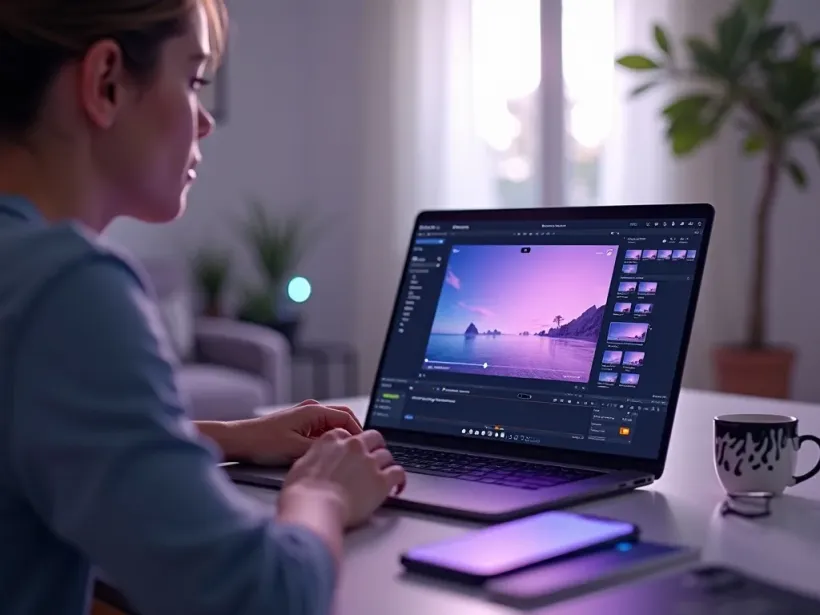
Veo 3.1 is the pick whenever 4K detail and stable, cinematic motion decide the result.
Vivideo is more than a Veo 3 video generator — it's the whole workflow. Generate in 4K with Veo 3.1, edit the result, and localize it into 30 languages without leaving your browser.
Veo 3 (current release Veo 3.1) is Google DeepMind's text-to-video AI model, built for 4K resolution, accurate physics and synchronized native audio. As an AI video generator, Veo 3 is prized for razor-sharp detail and steady camera work — the reason people search for a "Veo 3 video generator" over lower-res tools.
Natively, Google Veo 3 is reached through Gemini, Flow and Vertex AI. On Vivideo you can use Veo 3 online without any of that — no Gemini plan, no API key — because Veo 3.1 is one of 30+ AI video models on a single subscription. Run Veo 3 text-to-video from a prompt or Veo 3 image-to-video from a still, and swap models per shot.
A frequent question is whether Veo 3 is free. On Vivideo you can try the Veo 3 AI video generator free with daily generations, then upgrade for watermark-free 4K exports — no separate Google account or per-second Vertex billing.
Veo 3 rewards precise prompting. Because it renders in 4K, small details read clearly, so name the lens, the lighting and the camera move in your Veo 3 video prompt. A tight, cinematic prompt returns sharp, audio-synced footage you can grade and cut on Vivideo.
Veo 3 has trade-offs. Native clips are short and extend in segments, and 4K renders take longer than 1080p models. For longer pieces, Vivideo chains Veo 3.1 shots — plus Sora 2, Kling and others — into finished videos up to 10 minutes.
Getting started with Google Veo 3 costs nothing on Vivideo: free daily generations, no Gemini subscription and no Flow invite. When you're ready, an affordable plan unlocks watermark-free Veo 3 exports alongside every other model.
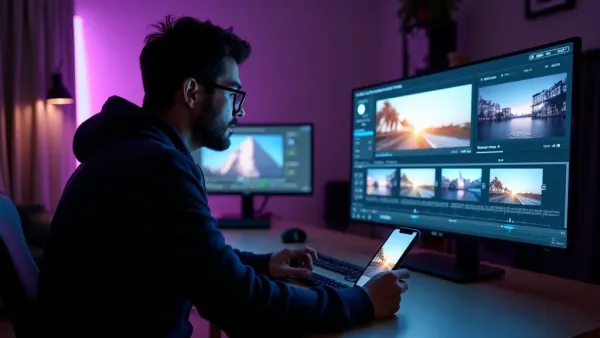
Watch a prompt become a sharp, audio-synced clip — then make your own Veo 3 AI video free on Vivideo.
Use Google Veo 3 online on Vivideo — no Gemini plan, no Flow invite, watermark-free 4K exports. Start with a prompt or a photo and hit generate.
Yes — you can use the Veo 3 AI video generator free on Vivideo to start, with daily generations, no credit card and no Google account. Watermark-free 4K exports and higher limits come with an affordable paid plan.
Open Vivideo, choose Veo 3.1 as your model, and generate — there's no Gemini subscription, Flow invite or Vertex AI project to set up. It's the easiest way to access Veo 3 online from any browser.
Yes — Veo 3.1 outputs up to 4K resolution with synchronized native audio, so dialogue, effects and ambience come locked to the picture. That 4K detail is Veo 3's headline advantage over 1080p models.
Yes — generate on Vivideo and export your Veo 3 videos clean on a paid plan. There's no separate Veo 3 watermark remover or downloader to hunt for.
Yes — on Vivideo, Veo 3 does both. Run Veo 3 text-to-video from a prompt or Veo 3 image-to-video from a still, and switch to Sora 2 or Kling per shot inside one project.
Natively, Veo 3 is billed per second through Google's API. On Vivideo it's included in one subscription alongside 30+ models, so you aren't paying per Veo 3 clip — free to try, affordable to scale.
Veo 3.1 leads on 4K fidelity and stable camera work; Sora 2 is prized for creative realism and motion. On Vivideo you can run the same prompt through both Veo 3 and Sora 2 and keep the sharper take.
That's Google's Gemini app using Veo 3 under the hood. Vivideo runs the same Veo 3.1 model directly, without a Gemini subscription — so you get Veo 3 output without Google's usage caps.
Sign in to Vivideo and select Veo 3 — free daily generations, no Gemini plan, no invite code, on PC or mobile. It's the fastest route to a free Veo 3.1 video generator in your browser.
Native Veo 3 clips are short and extend in segments. On Vivideo you chain multiple Veo 3.1 shots — and mix in other models — into finished videos up to 10 minutes.
Because Veo 3 renders in 4K, detail matters: name the subject, lens, lighting and camera move. Specific, cinematic Veo 3 prompts return the sharpest, most controlled results; you can refine any shot on Vivideo.
Yes — Vivideo runs the Veo 3 AI video generator in any modern browser, so you can use Google Veo 3 on a PC, Mac or phone without installing anything or opening the Gemini app.
You don't need a separate Veo 3 alternative — Vivideo bundles Veo 3.1 with Sora 2, Kling, LTX-2 and 27+ more models on one plan, so you can switch models mid-project and keep creating.
Each model is one of 30+ in Vivideo — switch per shot to get exactly the look you want.
GoogleFree Google
 OpenAI
 OpenAI
 ByteDance
A full 30 seconds in one shot, with native audio.
 ByteDance
State-of-the-art motion, realism and native audio.
 Kling
Kling Kling
Kling