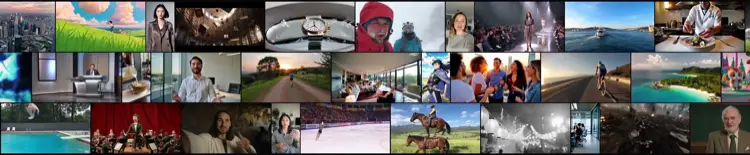
Explore every feature
Agentic Chat
Make a video the way you'd brief a teammate: chat with an AI video agent that plans, generates, and revises the whole thing. Describe what you want, review the plan, and refine by conversation — across 30+ models.
Auto-Generate
One prompt in, a finished video out. Auto-generate does the entire pipeline for you — script, scenes, voiceover, captions and music — from a single sentence, across 30+ models. The fastest way to make an AI video.
Manual Mode
Full hands-on control: pick any of 30+ AI video models per shot, tune the prompt, settings and inputs, and build a video exactly how you want it. Manual mode is the AI video studio for creators who want to drive.
AI Video Maker
A free AI video maker: turn a prompt, a script, a photo or a link into a finished video — captioned, voiced and ready to post — in minutes. Make videos across 30+ AI models, with no watermark and no editing software.
Text to video
A free text-to-video AI generator: type a prompt, pick a model, and get a finished video in minutes. Run text to video across 30+ AI models — Sora, Veo, Kling and more — with captions, voiceover and no watermark.
Image to video
A free image-to-video AI generator: upload a photo and animate it into a video in minutes. Run AI image to video across 30+ models — add motion, camera moves and sound, and export with no watermark.
AI video editor
A free online AI video editor: trim, caption, resize, add music and remove backgrounds — with AI doing the tedious parts — in your browser. Edit any video, or the clips you generate across 30+ models, and export with no watermark.
AI avatars
A free AI avatar generator: turn a photo or a prompt into a lifelike talking avatar that says any script in any language. Pick from a large cast of AI avatars or clone your own, and make presenter videos with no camera.
AI voices
A free AI voice generator: turn text into natural speech, or clone your own voice, in 30+ languages. Add lifelike AI voiceover to any video — realistic text-to-speech with no robotic tone.
AI video translator
A free AI video translator: upload a video and translate it into 30+ languages — with translated captions and a native AI voiceover — in minutes. Reach a global audience without re-shooting or hiring translators.
AI dubbing & lip sync
A free AI dubbing tool: dub any video into 30+ languages with a native voice and matching lip-sync — so it looks filmed in that language. Turn one video into a dubbed version for every market, no voice actors.
Brand kit
A free brand kit generator: paste your website and Vivideo pulls your logo, colors and fonts into a brand kit that's applied to every AI video automatically. Keep all your videos on-brand without a designer.
Video templates
A free library of AI video templates: pick a proven format — ad, promo, explainer, social — and AI fills it with your prompt, product or brand in minutes. Customizable video templates across 30+ models, exported with no watermark.
Automation
Automate video creation end to end. Trigger AI video generation from a spreadsheet, a form, a schedule or an event — Vivideo produces on-brand videos in bulk, automatically, across 30+ models. No one clicking generate.
Integrations
Connect AI video generation to the tools you already use. Vivideo integrates with your CMS, social schedulers, spreadsheets, automation platforms and more — so generated videos flow straight into your workflow across 30+ models.
MCP server
A Model Context Protocol server for AI video. Connect the Vivideo MCP to Claude, Cursor or any MCP client and your agent can generate video across 30+ models as a native tool — from a prompt, in the flow of work.
CLI
Generate video from the command line. The Vivideo CLI runs text-to-video, image-to-video, avatar and voice videos across 30+ models from your terminal — scriptable, pipeable, and perfect for batch jobs and CI.
API
One AI video API for 30+ models. Generate text-to-video, image-to-video, avatar and voice videos from a single REST endpoint — one integration, every model, usage-based pricing.
One AI video studio, every feature
A complete AI video generator needs more than a prompt box: generation across many models, editing, avatars and voices, brand control, and localization. This hub maps every feature and links to how to use it.
The features compound — generate a clip, animate a photo, add a cloned-voice avatar, apply your brand kit, then dub it into 30 languages, all without leaving the browser.
Explore each capability below, or jump to the one you need — an AI video editor, an avatar generator, a voice generator, a video translator — and start free.
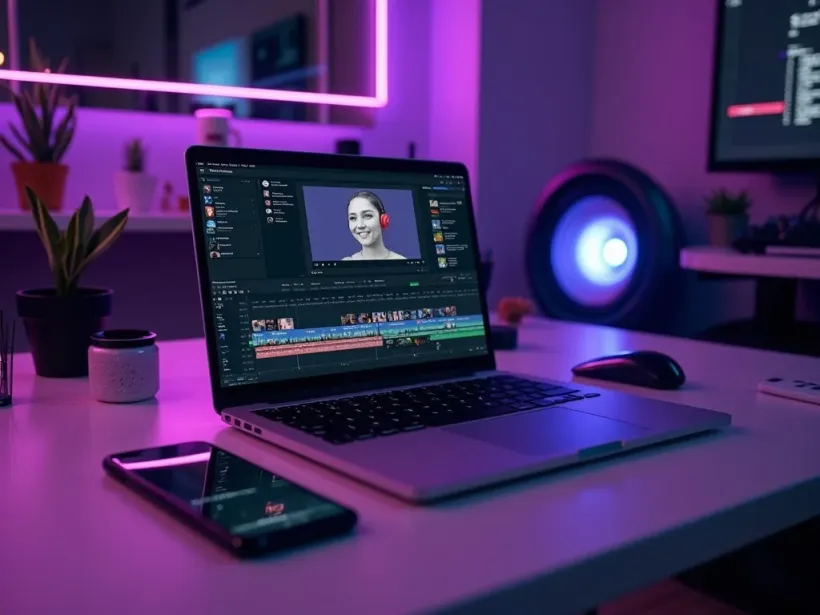
Everything an AI video generator should do
A modern AI video generator is more than a prompt box. To take an idea all the way to a finished, posted video you need text-to-video and image-to-video across many models, an AI video editor to trim and caption, AI avatars and voices to put a presenter on screen, a brand kit to keep it on-brand, and translation and dubbing to reach every market. This hub is the map of those features — each one a page explaining what it does and how to use it free.
The advantage of having every feature in one studio is that they compound. Generate a clip with text-to-video, animate a product photo with image-to-video, add a cloned-voice avatar, apply your brand kit, then dub the result into 30 languages — without exporting to another app. Most tools do one of these; Vivideo does the whole pipeline, across 30+ models, in the browser.
Whether you're looking for a specific capability — an AI video editor, an avatar generator, a voice generator, a video translator — or the developer surface (API, CLI, MCP, automations), each feature page below is written to help you find it fast and start free. Explore the features, then string them together into a real workflow.
AI video features — FAQ
What can an AI video generator do?
A full AI video generator covers text-to-video and image-to-video across many models, editing, AI avatars and voices, a brand kit, templates, and translation and dubbing. Vivideo bundles all of these in one studio, free to start.
Do I need separate tools for editing and generation?
No — Vivideo pairs generation with a built-in AI video editor, so you generate a clip and trim, caption, resize and score it in the same place, no second app.
Can I put a presenter in my video without filming?
Yes — the AI avatar generator plus the AI voice generator (with voice cloning) put a lifelike presenter on screen in 30 languages, no camera required.
Is there an AI video editor included?
Yes — the AI video editor auto-captions, trims to the beat, resizes for every platform, removes backgrounds and cleans audio, with full manual control on top.
Can I keep every video on-brand?
Yes — the brand kit pulls your logo, colors and fonts from your website and applies them to every generated video automatically.
Can I translate and dub my videos?
Yes — the video translator and AI dubbing localize any video into 30 languages with native voice and lip-sync, from one upload.
Is there an API for developers?
Yes — one AI video API (plus a CLI and an MCP server) exposes 30+ models and every generation type, so you can build video into your product or agents.