The Vivideo MCP server exposes AI video generation to any MCP-compatible agent. Add it to Claude, Cursor or another MCP client and the agent gains video as a native tool — it can generate text-to-video, image-to-video, avatars and voices across 30+ models by calling the server, no custom integration. It's how you give an AI agent the ability to make video.
Trusted by individuals at











How the MCP server works
Add the MCP server
Add one line of config — npx -y @vivideo/mcp — to Claude, Cursor or any MCP client, with the API key from your Vivideo account.
The agent sees video tools
The agent discovers 13 video tools — create videos, list models, avatars and voices, estimate credits, track renders.
Ask in natural language
Tell the agent what video you want; it calls the MCP tools with the right parameters across 30+ models.
Get the video back
The agent receives a hosted video URL it can use, share or pass to the next step in its workflow.
What the MCP server gives your agent
Video generation as a native tool for any MCP agent.
| Capability | What it does |
|---|---|
| Standard MCP server | Works with Claude, Cursor and any Model Context Protocol client — no custom code. |
| 13 tools, 30+ models | From create_auto_video to wait_for_video — every generation type, every model, callable by the agent. |
| Agentic generation | Your agent generates video in the flow of a task, not in a separate app. |
| Same power as the API | Everything the AI video API does, exposed as agent tools. |
| Guardrails built in | Rate-limited, idempotent and bounded — an agent in a loop can't flood the API or double-charge you. |
Developer resources
Everything you need to connect an agent — docs, registry, source.
MCP server docs
Setup for Claude, Cursor and any MCP client, plus the full tool reference.
Official MCP Registry listing
Published as io.github.egocen-vivideo/vivideo — discoverable by any agent.
@vivideo/mcp on npm
One npx command runs the server — nothing to install.
Agent skills
Nine open-source skills that teach agents to use video tools safely.
Open source on GitHub
MIT-licensed — audit every line of the server your agent runs.
Get an API key
Create a key in your Vivideo account and drop it in the config.
How the AI video MCP server works, explained
AI agents are getting good at doing real work — but they can only do what their tools allow. The Vivideo MCP server gives them one more capability: video generation. Add it to an MCP client like Claude or Cursor and the agent can make video across 30+ models as a native tool, calling it in the flow of a task instead of sending you to a separate app.
Model Context Protocol is the open standard that makes this possible. It lets agents discover and call external tools with a consistent interface, so the Vivideo MCP server plugs in without custom integration. Once it's connected, 13 tools — from create_auto_video and create_manual_video to list_models, estimate_credits and wait_for_video — show up as native actions the agent can invoke on its own.
The result is agentic video. Tell your agent to "make a 15-second product teaser and drop it in the deck," and it can generate the clip via the MCP tools, pick the right model, and hand back a hosted URL for the next step — video as a first-class action in an autonomous workflow.
It's the same power as the AI video API, shaped for agents rather than code, and secured with your API key on usage-based pricing. The server is open source (MIT) on GitHub, ships on npm as @vivideo/mcp, and is listed on the official MCP Registry — and nine ready-made agent skills teach your assistant to check credits first, avoid duplicate generations and wait for renders safely. If the API is how your software makes video, the MCP server is how your AI agent does.
AI video MCP server — FAQ
What is the AI video MCP server?
It's a Model Context Protocol server that exposes video generation to AI agents. Add it to Claude, Cursor or any MCP client and the agent can generate video across 30+ models as a native tool.
What is MCP?
Model Context Protocol is an open standard that lets AI agents call external tools. The Vivideo MCP server makes video generation one of those tools, so an agent can make video during a task.
Which clients does it work with?
Any MCP-compatible client — Claude Desktop, Claude Code, Cursor and more. The server is listed on the official MCP Registry and runs from npm with a single npx command.
What can the agent generate?
Text-to-video, image-to-video, avatars and voices across 30+ models — the same capabilities as the AI video API, exposed as agent tools.
How do I set it up?
Point your client's MCP config at npx -y @vivideo/mcp with your API key in the env block — the 13 video tools appear to the agent immediately. Per-client setup lives at developers.vivideo.ai.
Is it secure?
Yes — your key stays in the client's env config and is never logged or returned, and every call is rate-limited and idempotent so retries never double-charge. The server is open source, so you can audit every line it runs.
How is it different from the API?
The API is for code; the MCP server is for agents. It exposes the same generation capabilities as native tools an AI agent can call on its own.
Is the MCP server open source?
Yes — MIT-licensed in the vivideo-toolchain repo on GitHub, published on npm as @vivideo/mcp, and listed on the official MCP Registry, with docs at developers.vivideo.ai.
Video Generation as an Agent Tool
The Vivideo MCP server exposes video generation to any MCP agent — Claude, Cursor and more. Your agent gains text-to-video, image-to-video and avatars as native tools it can call. The answer to "how do I let my AI agent make video."
Connect once; the agent generates video in the flow of a task.
Built on the Open MCP Standard
Model Context Protocol lets agents discover and call tools with a consistent interface, so the server plugs in with no custom integration — generation just appears as tools the agent can invoke.
Standard MCP in, agentic video out.
The API's Power, Shaped for Agents
Everything the AI video API does — 30+ models, every generation type — exposed as agent tools, secured with your key on usage-based pricing.
If the API is for your code, the MCP server is for your agent.
Everything the MCP Server Gives Your Agent
One server that makes video a native tool for any MCP client.
Who Uses the AI Video MCP Server?
Anyone building with AI agents:
One Free Studio Behind Every Tool
Each utility here is a doorway into the full Vivideo studio — create, edit and localize video in the same place.

Explore More Developer Tools

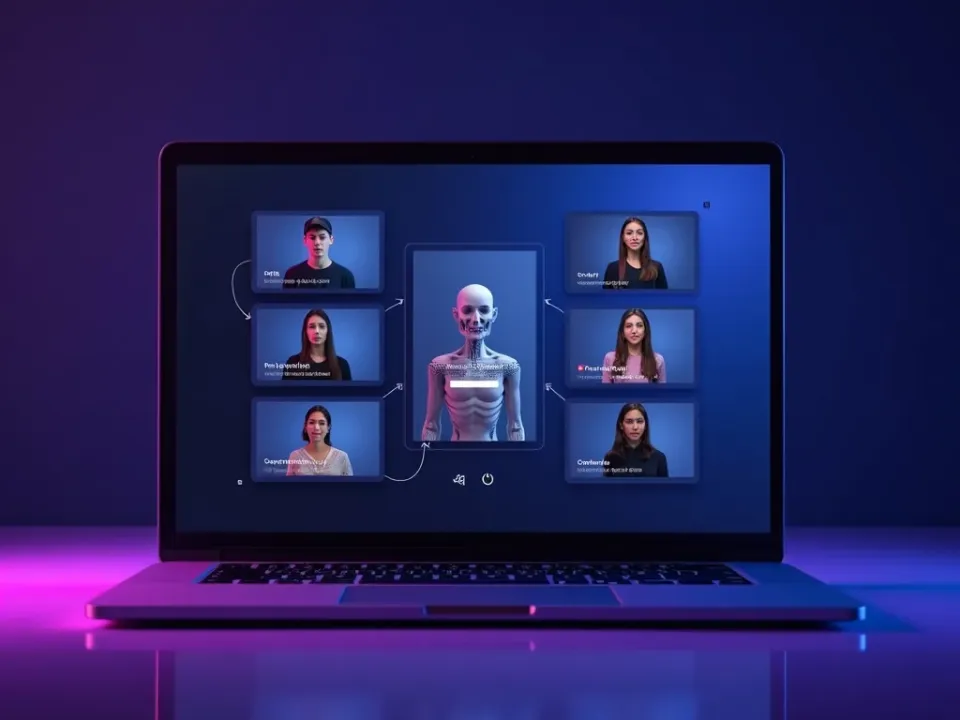
See the MCP Server in Action
Watch an AI agent generate video as a tool — then connect the MCP server on Vivideo.
