
AI testimonial videos sit in a risky zone. They can help package real customer stories, localize approved quotes, or create accessible formats. They can also become fake endorsement machines if the team gets careless.
Staying FTC-compliant starts with a simple rule: do not imply a real person said, did, earned, or experienced something unless it is true and you can substantiate it. AI changes the production method. It does not remove advertising law.
The hard rule
The FTC finalized a rule banning fake reviews and testimonials, and its Q&A says the rule addresses deceptive and unfair conduct involving consumer reviews and testimonials. If an AI avatar says “I used this product and loved it” but no real customer said that, you are not being clever. You are creating fake social proof.
Acceptable AI uses
- Clean up audio from a real customer interview.
- Generate captions and translations.
- Edit a long testimonial into short clips.
- Create B-roll around a real testimonial.
- Use an approved avatar only when it clearly represents the brand, not a fake customer.
- Summarize themes from real reviews without inventing quotes.
Risky or prohibited uses
- Fake customer avatars.
- AI-generated review quotes.
- Cloned customer voices without permission.
- Undisclosed paid endorsements.
- Exaggerated results not typical or substantiated.
- Stock actors presented as real customers.
Compliance workflow
Get written permission. Save the original testimonial. Keep claims narrow. Review edits against the source. Disclose incentives. Avoid altering meaning. Label realistic AI content where platform rules require it.
A practical review workflow

A compliant testimonial video does not happen because the marketing team meant well. It happens because the workflow makes it harder to ship a fabricated quote, an undisclosed incentive, or a result you cannot substantiate. Good intentions do not survive a deadline; a gate that blocks the render until consent and proof are on file does.
Use a review checklist before publishing any testimonial-style video:
- Is every endorsement traceable to a real, identifiable customer who actually said it?
- Did that customer sign off on the edited version that is going out, not just the raw interview?
- Is each material connection — payment, free product, employee or affiliate status — disclosed clearly and up front?
- Are the results shown as typical, or qualified honestly when they are not?
- Do any health, money, or performance claims have substantiation you could hand to a regulator?
- If a synthetic presenter or cloned voice stands in for the customer, is that labeled so no one reads it as the actual buyer?
- Did anyone whose face or voice was reproduced give written permission for it?
- Where the platform demands an AI label on realistic content, is it set in the upload flow?
- Are you steering clear of borrowed logos, characters, or celebrity likenesses you have no rights to?
- Is the source interview, the consent, and the approval trail all on file before this ships?
The point is not to bury every testimonial in process. The point is to catch the one fabricated quote, missing disclosure, or unconsented voice clone that turns a customer story into an FTC violation or a platform takedown.
The trust test
Before publishing a testimonial video, ask one blunt question: “Would a viewer feel deceived if they knew this customer never said this, or that the person on screen is an avatar rather than the actual buyer?”
If yes, fix it. Label the avatar or synthetic voice. Reframe it as a customer-story explainer instead of a first-person endorsement. Replace the synthetic presenter with a clearly branded one. Cut the unsubstantiated result. Use the real interview footage. Get the customer’s written permission. Or do not publish it.
This is not moral theater. For a testimonial it is direct FTC exposure: a fake or undisclosed endorsement is the exact thing the fake-reviews rule targets. Customers forgive a brand that experiments with AI captions and B-roll faster than they forgive learning the “customer” praising the product never existed.
A practical AI testimonial videos workflow
Start with one real customer story. Not ten. Not a vague “gather some social proof.” One documented testimonial you already have permission to use.
Write down who the customer is, what claim their words actually support, what proof backs that claim, and where the video will run. Then confirm consent and disclosure before you build anything. Only after the source statement and approvals are locked do you edit, caption, or add supporting visuals. Cut the first version, then make tighter variants without ever touching the meaning of the original quote. Publish, watch how viewers respond, and refine the framing—never the claim.
That is the order this work has to follow:
- Real customer
- Verified claim
- Substantiation
- Consent and disclosure
- Approved source statement
- Edit (meaning preserved)
- Variant (still accurate)
- Platform label check
- Publish
- Records on file
Most teams get into trouble because they generate the testimonial first and check the consent, the claim, and the disclosure afterward. With endorsement law, that order is backwards: substantiate and authorize the story before you render a single frame.
The pre-publish compliance bar
Before publishing a testimonial video, check it against these questions:
- Is this tied to a real, documented customer, not a fabricated one?
- Can you substantiate every claim the testimonial makes?
- Is each material connection or incentive disclosed clearly?
- Are the results presented as typical, or qualified where they are not?
- Where an avatar or synthetic voice appears, is it labeled per platform rules?
If you cannot answer yes to all of them, a finished export is no reason to hit publish. AI can make production cheaper. It cannot make a fake or unsubstantiated endorsement legal.
Example: compliant vs non-compliant
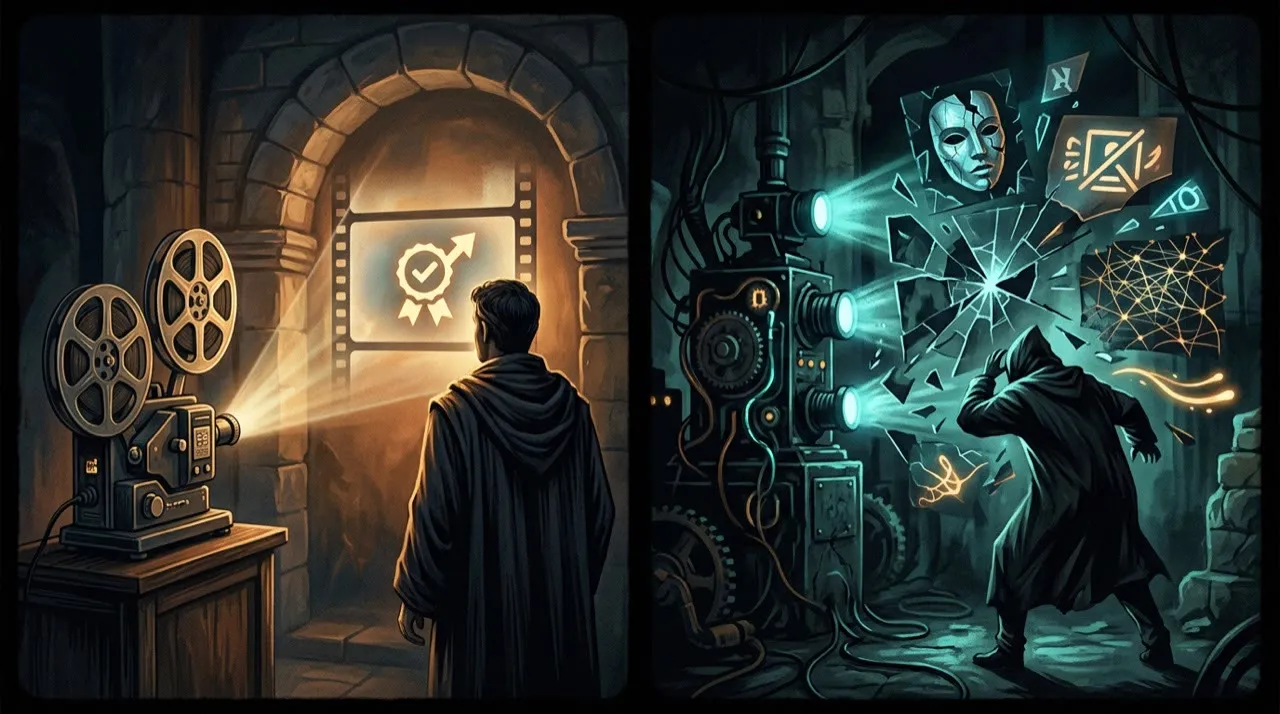
Non-compliant:
“I tried this supplement and lost 20 pounds in a month,” says an AI-generated customer avatar.
That is a fake testimonial unless it is tied to a real customer experience and properly authorized. It may also create unsupported health or performance claims.
Better:
“Here are three ingredients customers ask about before buying. Always check the label and talk to a professional if you have specific health concerns.”
That second version educates without inventing a customer. It may still need claim review, but it is not pretending that synthetic social proof is real.
Keep records
For every testimonial-style video, keep the source interview, written permission, edit notes, disclosure language, and final script. If you changed wording, preserve the original and document why the edit did not change meaning.
This recordkeeping is not glamorous. It is what protects the business when someone asks where the claim came from.
Final pre-publish checklist
Before the testimonial video goes live, run one last pass that is harsher on the claims than the customer ever would be.
Check the edited quote against the original recording. If the customer said the product “helped me organize my week,” the cut cannot imply it “doubled my income.” Every trimmed sentence has to leave the meaning intact, and every on-screen result has to match what that specific person actually reported.
Then check substantiation. Every outcome the testimonial states—pounds lost, revenue earned, time saved, symptoms eased—needs evidence you could hand to the FTC. If a result cannot be documented for that customer, qualify it, mark it as atypical, or cut it. Do not let a glowing line survive just because it sells.
Finally, check the disclosures. Any paid relationship, free product, employee status, or other material connection must be clear, and any avatar or synthetic voice must carry the label the platform requires. If a viewer could be misled about who is speaking or why, the render is not ready no matter how polished it looks.
Testimonial editing checklist
When editing a real testimonial, preserve meaning. Do not cut out qualifiers that change the claim. Do not turn “it helped me understand my options” into “it changed my life.” Do not add AI B-roll that implies a result the customer did not experience.
Use this review sequence:
- Compare the edit to the original statement.
- Check whether the speaker approved the edited version.
- Check whether any incentive or relationship needs disclosure.
- Check whether the claim is typical, substantiated, or qualified.
- Check whether AI visuals could mislead viewers.
- Add disclosure if required by platform or context.
A testimonial is not just content. It is evidence. Treat it that way.
One last practical note

Do not wait for the perfect customer story. Pick one real testimonial you already have signed permission for, one accurate claim it supports, and one format. Make the first cut faithful enough to publish without a lawyer flinching. Then improve the next version using how viewers respond—never by stretching the claim.
That is the real advantage AI gives you here: a faster path from an approved customer quote to a polished, captioned, properly disclosed video. Speed on production, not on the truth.
The testimonial test
Before publishing, ask: Is this a real customer? Is the quote accurate? Was any material connection disclosed? Are results typical, or do they need context? Does the video make it clear when an avatar or synthetic voice is being used?
If the answer is fuzzy, stop. Rewrite the video as a customer-story explainer, not a testimonial. Use verified quotes, approved claims, and clear disclosure. Trust is the asset. A synthetic shortcut that damages it is not worth the lift.
Where Vivideo fits in a compliant workflow
Vivideo supports this kind of disciplined, evidence-first workflow. Manual mode gives you the control to edit an approved customer testimonial without distorting the original claim, while the agentic AI chat can help plan a customer-story explainer around verified quotes. AI voices and avatars are available when you need a clearly branded presenter rather than a fake customer, and brand kits keep disclosures and labeling consistent across versions. Templates and API/CLI/MCP access let you turn approved source material into captions, translations, and supporting visuals without bolting together half a dozen tools.
AI testimonial videos: the red-line checklist
A testimonial is not a storytelling prop. It is a representation of someone’s experience, and that means the rules are stricter than ordinary creative content.
Before publishing an AI testimonial video, check these red lines:
- Do not invent a customer.
- Do not generate a fake review from a real customer’s name.
- Do not use an avatar to imply a real person said something they did not say.
- Do not cherry-pick atypical results without clear disclosure.
- Do not hide incentives, employee relationships, or material connections.
- Do not clone a customer’s voice or likeness without explicit permission.
AI can still help. It can turn approved testimonials into scripts, create captions, produce translated explainers, or generate neutral supporting visuals. But the core claim must come from a real, documented customer experience.
A safer workflow stores the original review, permission status, approved edits, disclosure language, and final published version together. If someone challenges the video later, you should be able to prove where every claim came from.
Conclusion
AI testimonial videos work best when they are tied to a real customer, an accurate claim, and a disclosed, substantiated context. AI can remove the production bottlenecks—editing, captioning, translating, B-roll—but it cannot manufacture an experience or excuse a missing disclosure.
Treat the steps in this guide as a compliance gate: confirm the customer is real, confirm the claim is substantiated, confirm every material connection is disclosed, qualify any results that are not typical, and label synthetic presenters where platforms demand it. Anything that fails the gate does not ship, no matter how finished the render looks. That is how AI stays a tool for honest social proof instead of a fake-endorsement machine.
If you want one place to plan a customer-story explainer, edit approved testimonials, add clearly branded voices and avatars, and keep disclosures consistent with brand kits, you can start free at vivideo.ai.