
Free AI video tools are useful, but the word “free” hides the real cost. Watermarks, export limits, short durations, queue times, commercial-use restrictions, and disappearing trial policies can make a free tool expensive fast.
So the smart question is not “Which free tool is best?” It is “Which free AI video tools in 2026 let me test the thing I actually need without locking the result behind a catch?” That is the standard this guide uses.
The honest rule about “free”
Tool policies move fast. A listicle from three months ago can already be wrong. For this article, treat watermark status as a checkpoint, not a permanent truth.
Canva says free users can export without a watermark if they use free content; Canva’s licensing page also says Pro content will show a watermark for free users. Clipchamp says free users can export watermark-free at 480p, with higher watermark-free export options tied to premium features. Adobe Express says its video maker can export MP4s for free, while premium assets and AI credits sit behind plan limits.
The 12 tools to check first
- Vivideo — free to start, no credit card required; strongest when you want one studio for multiple top AI video models, voices, avatars, brand kits, templates, and developer access. Verify current export rules in-app before client delivery.
- Canva — good for social layouts, simple AI video clips, presentations, and free-content watermark-free exports.
- Microsoft Clipchamp — browser-based editing, recording, and watermark-free free exports at stated limits.
- Adobe Express — good for lightweight editing, templates, and brand-friendly social videos with limited free generative AI credits.
- CapCut — strong mobile-first social editing, captions, templates, and AI-assisted creation; check which templates/effects apply watermarks.
- Pika — useful for playful effects and photo-to-video experiments; verify free-plan watermark and commercial rights because policies vary by tier.
- Runway — high-end generative video and editing; free credits are useful for testing, not production volume.
- Luma — strong creative video generation and agent-style workflows; check current credit and export rules.
- Kling — popular for image-to-video and motion-heavy clips; verify regional access, credits, and usage rights.
- PixVerse — social-friendly image animation and viral effects.
- Hailuo AI — creator-oriented text/image-to-video experiments.
- HeyGen or Synthesia free trials — useful for avatar tests, not always watermark-free production.
How to choose without wasting time
Pick by job, not popularity. Need a product ad? Choose a studio that handles brand assets, voice, and export variants. Need an avatar explainer? Use avatar-first tools. Need a simple watermark-free edit? A lightweight editor may beat a frontier model.
A free tier is for learning what a tool can do before you pay; the free export is the proof. Production, by contrast, needs the things a free plan usually withholds: watermark-free output you own, predictable credits that do not run dry mid-job, clear commercial rights, plus quality, speed, team access, and support.
The verification checklist
- Does the free export include a visible watermark?
- Does using premium stock add a watermark?
- Can you use the output commercially?
- Are AI generations limited by credits, duration, resolution, queue speed, or model access?
- Can failed generations consume credits?
- Does the tool label or metadata-mark AI content?
How to run your own test before choosing
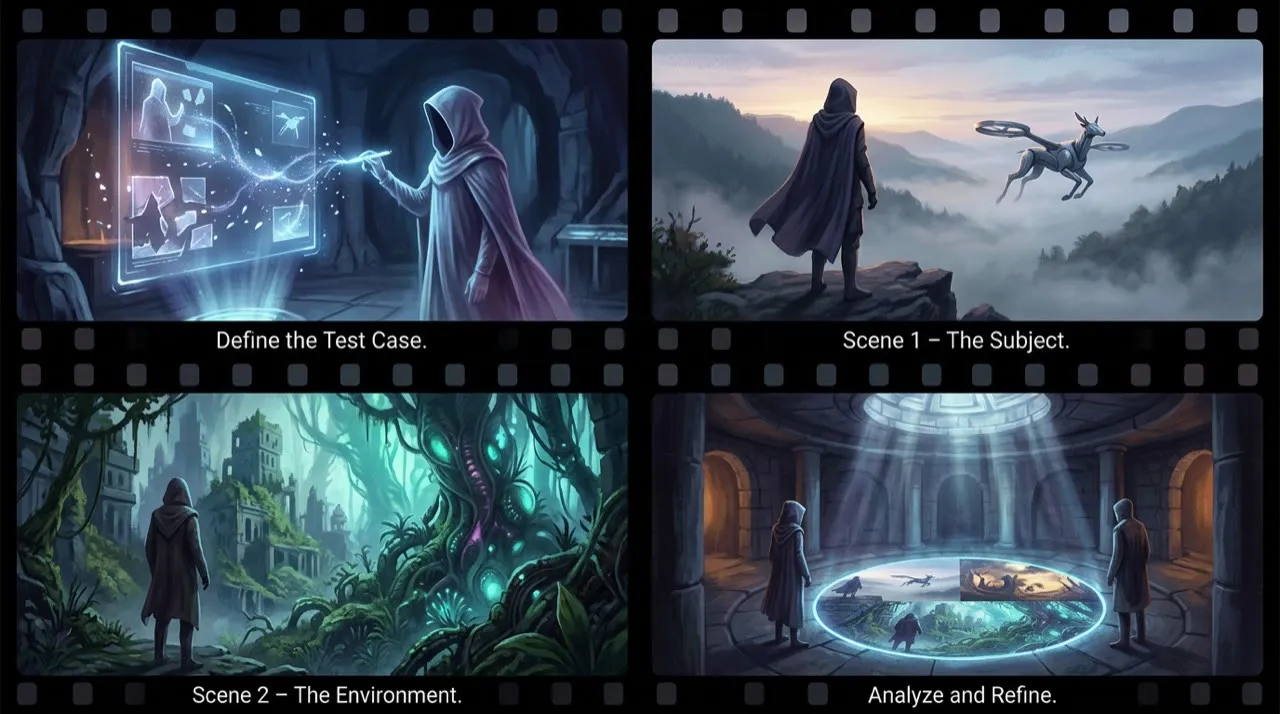
Do not judge a free plan by the polished clips on its landing page. Those reels are rendered on paid tiers, with premium stock, and without the watermark, credit cap, or commercial-use catch a free user actually hits. Your job is to push your own brief through the free export path and inspect the file that comes out.
Pick five clips that each stress a different part of the free export path, and run the same five through every tool on its free tier:
- A clip using only the tool's free stock and assets, to see if the base free export is watermark-free.
- The same clip but with one premium template or stock element added, to catch whether premium content silently re-stamps the watermark.
- A vertical social ad with captions, exported at the highest resolution the free plan allows, to find the length and resolution caps.
- A brand scene in your own colors, to test how far a free plan lets you go before it gates brand assets or rights.
- A deliberate retry of a failed prompt, to see whether the free tier charges credits for generations you cannot use.
Score each free export from 1 to 5 on the things that decide whether you can actually ship it for free:
- watermark on the free export (none vs. visible)
- whether premium stock or templates added a watermark
- resolution and length cap on the watermark-free path
- clarity of commercial rights for free output
- credits burned per usable export, including failed retries
- daily or monthly free quota before the catch hits
- caption, brand, and edit control inside the free tier
- how many extra free signups the clip needed to finish
- speed and queue priority on the free plan
- whether the free output carries AI labeling or provenance metadata
On a free plan the metric that matters is not “best-looking generation.” It is how many clean, watermark-free, rights-clear exports you can ship before the free credits run out. A tool that produces one gorgeous clip but burns a day of free credits getting there, then stamps a watermark on the export, is worse than a plainer free tier that hands you a publishable file on the first try.
When to use multiple tools
Betting on a single free tool is usually a mistake, because no one free tier wins every job. One free plan exports watermark-free but only at 480p; another gives cinematic realism but stamps a logo on free renders; a third hands you fast social variants but caps daily credits; avatar and voice free trials each carve off a different slice. The shortlist above exists precisely because the “no watermark” free path is split across several tools.
Spreading work across free plans is not about hoarding free accounts. It is about sending each clip to whichever free tier exports it cleanly, then assembling the watermark-free pieces in one place. That is why a studio that bundles several models, voices, and avatars behind one free start can be valuable: it spares you from re-checking watermark, credit, and rights rules on five separate signups every time the job changes.
A practical free AI video tools in 2026 workflow
Start with one real export you actually need to ship. Not a tour of all twelve tools. Not a vague “let me try the free plans.” One clip, one platform, one delivery deadline.
Pick the two or three tools from the shortlist that fit that one job, then read each tool’s current watermark, credit, and commercial-use rules before you generate a single frame. Run the same short brief through each one, export the file, and inspect it: watermark present or not, resolution, length cap, and whether premium stock or AI credits silently changed the output. Keep the tool that delivered a clean, rights-clear, platform-ready file, and only then move to your second job.
That is the order to work in:
- One job
- Two or three candidate tools
- Current free-plan rules (watermark, credits, rights)
- Identical short brief
- Generate
- Export
- Inspect the file
- Confirm commercial rights and disclosure
- Compare cost per usable result
- Commit to the survivor
Most people pick a free tool on the homepage demo and start generating before they have checked watermark, rights, and export limits. That feels faster, but it usually means redoing the work on a tool that survives real use.
The pre-publish checklist for a free export

Before you publish anything made on a free plan, check the exported file against these questions:
- Did the free export come out without a visible watermark?
- Are the commercial rights clear enough for the way you intend to use the clip?
- Did premium stock, templates, or AI credits quietly change the watermark or quality?
- Is the resolution, length, and format actually usable for the platform you are posting to?
- If the video shows realistic AI people, voices, or scenes, have you handled any required disclosure or labeling?
If the answer to any of these is no, the free export is not actually free to ship, however finished the render looks. A free plan can take the cost out of generating the clip, but it cannot make a watermark stamped on the file, an unclear commercial-rights clause, or a missing disclosure label disappear on its own.
Decision matrix
Once a free plan has cleared the watermark and rights checks, use this matrix to confirm it actually fits the job you ship most often before you let it pull you onto a paid tier:
| Need | Prioritize |
|---|---|
| Social ad drafts | Speed, variants, vertical export, caption workflow |
| Product videos | Image references, logo stability, manual editing, brand kits |
| Cinematic scenes | motion quality, lighting, camera control, consistency |
| Training videos | avatars, voices, translations, templates, review controls |
| Developer integration | API docs, webhooks, pricing clarity, rate limits |
| Agency production | team workspaces, versioning, model variety, client review |
If a free plan cannot give you a clean, watermark-free, rights-clear export for the job you ship most often, it is not your primary free tool no matter how impressive its landing-page reel looks.
The hidden cost: unusable generations
On a free AI video plan the headline number is the credit grant, but the real cost is how many clean, watermark-free exports those credits actually buy.
If a free tier hands you 100 credits and it takes 12 attempts to land one publishable, watermark-free clip, that generous-looking grant is really worth a handful of usable exports. Track failed free generations, the re-renders forced by a stray watermark, the cleanup needed when premium stock changed the output, and the exports you threw away because the rights were unclear. That count tells you whether a free plan is genuinely free for your job or just free to start before the catch lands.
How to judge a free AI video tool honestly

Do one small production test before you commit to any free tool. Create a 10-second vertical video, add captions, export it, and check the file. Is there a watermark? Is the resolution usable? Are commercial rights clear? Can you revise the clip without starting over?
Then test the second thing free-tool hunters forget: how many free signups it takes to finish one video. A free model with gorgeous renders but a logo stamped on the export, or one that hands you a clean clip but forces you onto three other free trials to add captions, voice, and brand colors, is worse than a plainer free tier that gets you to a watermark-free, rights-clear file in one place. A free plan only counts if it ends in a publishable export you can actually ship without paying to remove a watermark.
Where Vivideo lands on this shortlist
If the goal is to stop juggling free tools, Vivideo is worth a free trial because it is a free-to-start AI video generator that folds several of the jobs above into one studio. One-prompt generation covers quick drafts, manual mode gives you control over the edit, and an agentic AI chat can plan and build a video when you would rather describe the result than assemble it. With access to multiple top video models plus avatars, AI voices, brand kits, and templates in the same place, you can take a rough idea to a usable, on-brand export without signing up for half a dozen separate tools, and API/CLI/MCP access is there when you want to wire it into your own pipeline.
Free AI video tools with no watermark: verify before publishing
“No watermark” is a dangerous claim because free plans change. A tool can allow clean exports today, add watermarks tomorrow, or remove them only for certain formats, lengths, resolutions, or templates. Do not publish a definitive no-watermark ranking without testing each export path yourself.
For every tool, verify four things:
- Can a free user export without a visible watermark?
- Is the no-watermark export limited by resolution, length, credits, or daily quota?
- Are commercial rights clear enough for business use?
- Does the output include invisible provenance metadata or platform labeling?
That last point matters. “No watermark” does not mean “no disclosure obligation.” If a video contains realistic AI-generated people, voices, places, or events, platform rules may still require labeling. Clean export is a file-format question. Disclosure is a trust and compliance question.
The practical recommendation is simple: treat this article as a shortlist, then retest before publication and again every quarter. Readers searching this keyword want free options, but they also want not to waste an afternoon finding out the catch after signup.
Conclusion
A free AI video tool in 2026 earns its place when it is tied to a real export you have to ship, not to a homepage reel. A free plan can erase the cost of generating a clip, but it cannot decide for you whether the watermark, credit cap, or commercial-use clause makes that clip safe to deliver. Only inspecting your own exported file answers that.
Use the checks in this guide as a filter on every “free” claim: confirm the watermark status of your actual export path, confirm the commercial rights, watch whether credits or premium stock change the result, and re-test each tool every quarter because the policies move. That is how a free plan stays free in practice instead of costing you a re-render the day before delivery.
Is there a genuinely free AI video generator with no watermark? For editing, sometimes — Clipchamp and Canva state that free exports can be watermark-free within limits. For generative video, usually not: free tiers, including Vivideo's free daily generations, watermark their renders, and it is the paid plans that remove it. Use free plans for testing, and budget a paid month when a project must ship clean.
If you would rather stop juggling free trials and run one-prompt drafts, manual editing, avatars, AI voices, brand kits, and multiple top video models from a single studio, you can start free at vivideo.ai and check the in-app export rules before client delivery.
Sources
- Canva video editor watermark FAQ
- Canva licensing explained
- Microsoft Clipchamp: Online video editor with no watermark
- Adobe Express: Free video maker
- Adobe Express pricing
- CapCut: AI video generator
- Pika
- Pika pricing
- Runway Research: Introducing Runway Gen-4.5
- Luma AI
- Kling AI
- PixVerse
- Hailuo AI video generator
- Synthesia
- HeyGen