1What is AI Video?
AI video refers to all video content created, enhanced, or manipulated with artificial intelligence. This includes text-to-video generation (converting written scripts into fully produced videos), image-to-video conversion (animating still images into dynamic clips), AI-powered editing (automated color correction, transitions, and effects), AI voiceover and narration, AI avatar and virtual presenter creation, as well as video upscaling and restoration. The field has exploded since 2023, when models like OpenAI's Sora demonstrated that AI can generate photorealistic videos from text prompts. Today, in 2026, AI video tools are accessible to everyone — from individual content creators to corporate marketing teams — with free platforms like Vivideo enabling professional video production without cameras, studios, or editing experience. The central promise of AI video is democratization: anyone with an idea can now produce professional video content in seconds, not days.
2How AI Video Technology Works
AI video is based on several interconnected technologies that work together. At its foundation are diffusion models – neural networks that learn to generate visual content by gradually removing noise from random data, trained on billions of video frames to understand motion, composition, lighting, and physics. When you provide a text prompt, natural language processing (NLP) models first analyze your input to understand meaning, intent, and visual requirements. This understanding is then fed into the video generation model, which produces frames that match your description. For text-to-video, the pipeline includes visual generation (creating or selecting relevant images), audio synthesis (text-to-speech for voiceovers, selecting background music), temporal composition (timing, pacing, transitions between scenes), and post-production (color correction, stabilization, subtitle overlay). For image-to-video, depth estimation models analyze the spatial structure of your image, then motion generation models create realistic movements – camera pans, parallax effects, or subject animations. Modern platforms like Vivideo combine multiple AI models (Sora 2, Veo 3, Kling, and others) to select the best pipeline for each request while optimizing quality, speed, and the specific type of generated content.
3Types of AI Video
The AI video landscape includes several distinct technologies, each serving different creative needs:
Text-to-Video Generation
The most popular form of AI video. Enter a text script, prompt, or description and receive a fully produced video with matching visual content, voiceover, music, subtitles, and transitions. Ideal for social media content, marketing videos, explainer videos, and any video based on a written concept. Tools: Vivideo, Synthesia, Pictory.
Image-to-Video Conversion
Transform static images into dynamic video content. AI adds camera movements (zoom, pan, tilt), parallax depth effects, subject animations, and even generates new visual content between frames. Perfect for e-commerce product videos, real estate tours, photo slideshows, and social media content. Tools: Vivideo, Runway, Pika.
AI Avatar and Virtual Presenter Videos
Generate videos with realistic, AI-powered human presenters that sync with your script. Choose from various avatar options or create custom digital twins of real people. Heavily used in corporate training, localization (one script, 30 languages), and personalized marketing at scale. Tools: Synthesia, HeyGen, Vivideo.
Generative Video from Prompts
Purely AI-generated video content created entirely from text descriptions – no stock footage, no templates. The AI generates each frame from scratch, producing original visual content that has never existed before. Best suited for creative projects, concept visualization, and unique social media content. Tools: Sora 2, Veo 3, Kling, Runway Gen-3.
4Best AI Video Tools 2026
The AI video landscape has significantly evolved by 2026. Here’s how the leading tools compare for various use cases. Vivideo stands out as the best free all-in-one platform that combines text-to-video, image-to-video, AI voiceover, and automated editing without costs and without watermarks. Synthesia leads in creating AI avatars for corporate and training content, starting at $29/month. Runway excels in creative visual effects and generative art but is geared more towards professional editors than beginners. HeyGen specializes in multilingual avatar content and video translations. Pictory focuses on repurposing long-form content (blog-to-video). For most creators, marketers, and small businesses, the best choice depends on your primary use case: Vivideo for general AI video creation, Synthesia for avatar-heavy content, and Runway for advanced visual experiments.
5AI Video for Businesses
Businesses across all industries are using AI video to reduce costs, increase production, and reach audiences more effectively:
Marketing & Advertising
Create dozens of ad variations in hours instead of weeks. A/B test different hooks, visual content, and CTAs at scale. Companies using AI video for marketing report 60% lower production costs and 3x more content output. AI-generated video ads achieve comparable or better conversion rates than traditionally produced ads.
E-Commerce & Product
Convert product photos into dynamic video ads with AI image-to-video. Product videos increase purchase likelihood by 144% and reduce return rates by 25%. AI allows you to create individual video ads for every SKU in your catalog – something that is impossible at traditional production costs.
Education & Training
Transform documentation and training materials into engaging video content. AI voiceover in 50+ languages enables global training programs from a single script. Companies using AI video for internal training see a 40% better knowledge retention compared to text-based materials.
6AI Video for Social Media
Social media is the area where AI video has had the most significant impact. Platforms reward video content – Instagram, TikTok, YouTube, and LinkedIn all prioritize video in their algorithms – but traditional production of daily video content requires significant time and resources. AI video generators solve this by enabling creators to produce 5-10 videos per day instead of 1-2 per week. For TikTok and Instagram Reels, use the vertical 9:16 format with a strong hook in the first 3 seconds. Keep videos under 60 seconds and enable automatic subtitles (85% of users watch without sound). For YouTube Shorts, similar rules apply, but optimize for watch time. For LinkedIn, a professional tone in landscape format works best for B2B content. For YouTube long-form, use AI to generate trailers, summaries, and chapter previews. The most successful AI video creators follow a content bundling workflow: write 10 scripts on Monday, generate all videos in one session, and then schedule them throughout the week.
Start Creating AI Videos Today
Put everything you've learned into practice. Vivideo's free AI video generator allows you to create professional content in seconds – text to video, image to video, AI voiceover, and more. No credit card required.
Ready to Create AI Videos?
Use the same AI technology discussed in this article to create your own stunning videos in seconds.
Frequently Asked Questions
Related Articles
AI Video Generator: The Complete Guide
Transform your ideas into professional videos using artificial intelligence. Learn everything about AI video generation technology and how to create stunning content effortlessly.
Text to Video: Create Videos from Scripts
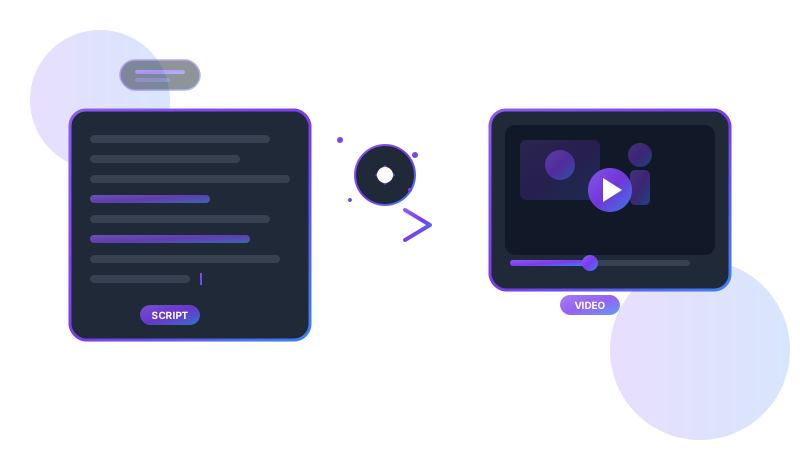
Turn your written content into engaging videos automatically. Discover how text-to-video AI is revolutionizing content creation and learn to create professional videos from any script.
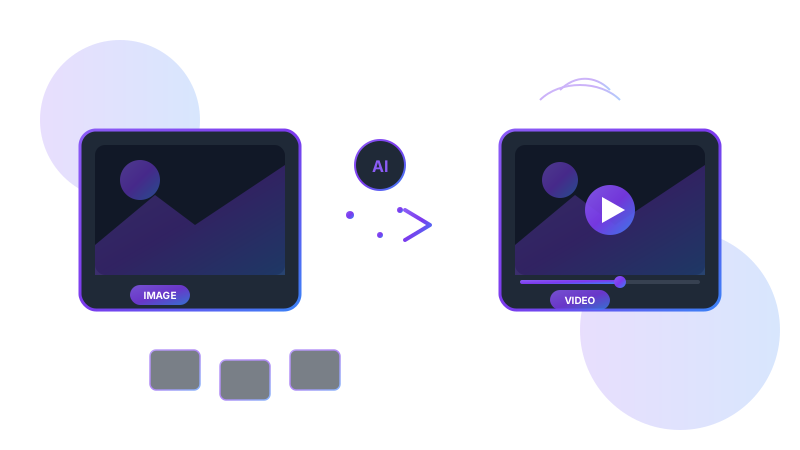
Image to Video: Transform Photos into Videos
Transform your static images into dynamic, engaging videos with AI. Learn the best techniques and tools for converting photos to professional video content.