 GoogleFree
Generate high-quality, cinematic video instantly from a simple prompt — no camera, crew, or editing skills required.
Make your first video freeAn AI video generator turns a written prompt, a script, or a still image into a moving video — online, in your browser, with no camera, actors, lighting, or editing timeline required. You describe the shot, pick a model, and the AI renders the footage, the camera motion, and (on supported models) synchronized audio. What used to take a crew and a week now takes a sentence and a few minutes.
There are two main ways in. Text to video starts from a description (“a drone shot over a misty pine forest at sunrise”) and generates the clip from scratch. Image to video starts from a picture you already have — a product shot, a logo, a photo — and brings it to life with motion you describe. Vivideo does both, and lets you mix them across a single project.
Vivideo is a free AI video generator that doesn’t lock you to one engine. Instead of a single in-house model, it gives you 30+ of the best models on the market on one subscription, plus a real creative agent that can plan a multi-scene video, reusable AI avatars and voices, and your own brand kit — so the output looks like you, not like generic AI.
Two starting points, the same finish: a polished clip you can publish anywhere.
Most tools lock you to a single engine. Vivideo gives you 30+ — switch models per shot to get exactly the look you want, all on one plan. Here are some of the headline models built in.
| Model | Provider | Strengths | Best for |
|---|---|---|---|
| Veo 3.1 Fast | Text & image to video · 4K · Native audio · Fast | Fast, cheap takes — great for quick iterations. | |
| Veo 3.1 | Text & image to video · 4K · Native audio | Google's highest quality — 4K with native audio. | |
 Sora 2 Sora 2 | OpenAI | Text & image to video · Native audio · Long takes | OpenAI's creative model, up to 12s with audio. |
| Sora 2 Pro | OpenAI | Text & image to video · Native audio · Long takes | Higher-quality Sora 2 with 1080p. |
 Seedance 2.0 Seedance 2.0 | ByteDance | Text & image to video · Native audio · Widescreen | State-of-the-art motion, realism and native audio. |
 Kling V3 Kling V3 | Kling | Text & image to video · Native audio · Long takes | Negative prompt + multi-shot, up to 15s. |
| Kling O3 | Kling | Text & image to video · Native audio · Long takes | Newest Kling, up to 15s with native audio. |
 WAN 2.6 WAN 2.6 | Alibaba | Text & image to video · Long takes | Multi-shot support, 1080p, up to 15s. |
 Grok Video Grok Video | xAI | Text & image to video · Native audio · Long takes | xAI's model — up to 15s with native audio. |
 PixVerse V5 PixVerse V5 | PixVerse | Text & image to video · Stylized · Fast | Best value — anime, 3D and comic styles. |
 LTX-2 LTX-2 | Lightricks | Text & image to video · 4K · Native audio | Fast, affordable video up to 4K with audio. |
 Hailuo 2.3 Hailuo 2.3 | MiniMax | Text & image to video | Lifelike physics and motion. |
 Luma Ray 2 Luma Ray 2 | Luma AI | Text & image to video · Widescreen | Fluid cinematic motion, ultra-wide aspect. |
 Pika 2.2 Pika 2.2 | Pika | Text & image to video · Fast | Punchy, stylized motion with many aspect ratios. |
| Seedance 1.0 Pro | ByteDance | Text & image to video · Widescreen | Cinema-grade multi-shot, ultra-wide 21:9. |
 Vidu Q1 Vidu Q1 | Vidu | Text & image to video · Stylized | Crisp clips with a dedicated anime style. |
 Hunyuan Video Hunyuan Video | Tencent | Text & image to video | Tencent's open model — cinematic, motion-rich video. |
 Marey Realism Marey Realism | Moonvalley | Text & image to video | Moonvalley's realism model, trained on licensed data. |
 CogVideoX CogVideoX | Zhipu AI | Text & image to video | Zhipu's open model — flexible text & image to video. |
| Kling 2.5 Turbo Pro | Kling | Text & image to video · Fast · Long takes | Kling's fast turbo tier — quick, dynamic clips. |
| Kling 2.1 Master | Kling | Text & image to video · Long takes · Native audio | Kling 2.1 Master — premium motion and detail. |
| Kling 2.1 Standard | Kling | Text & image to video · Long takes | Kling 2.1 Standard — solid everyday Kling. |
| Hailuo 02 Pro | MiniMax | Text & image to video | MiniMax Hailuo 02 Pro — lifelike physics, higher fidelity. |
| Hailuo 02 Standard | MiniMax | Text & image to video · Fast | MiniMax Hailuo 02 — natural motion at speed. |
| Hailuo 2.3 Pro | MiniMax | Text & image to video | Hailuo 2.3 Pro — top-tier MiniMax realism. |
| WAN 2.5 | Alibaba | Text & image to video · Long takes | Alibaba WAN 2.5 — versatile multi-shot video. |
| WAN 2.2 | Alibaba | Text & image to video · Long takes | Alibaba WAN 2.2 — dependable open all-rounder. |
| LTX-2 Pro | Lightricks | Text & image to video · 4K · Native audio · Fast | Lightricks LTX-2 Pro — fast, up to 4K with audio. |
| Luma Ray 2 Flash | Luma AI | Text & image to video · Widescreen · Fast | Luma Ray 2 Flash — quick cinematic motion. |
| Seedance Pro Fast | ByteDance | Text & image to video · Fast · Widescreen | ByteDance Seedance Pro Fast — rapid social clips. |
Model line-up and capabilities evolve as providers ship updates; Vivideo adds new models as they launch.
GoogleFree Google
 OpenAI
 OpenAI
 ByteDance
State-of-the-art motion, realism and native audio.
 Kling
Kling Kling
Kling Alibaba
Work the way that fits the job — from a hands-off agent to full manual control.
Describe the end result and a real agent plans the scenes, casts an avatar and voice, generates each shot, and proposes edits you can approve in chat.
One prompt in, a finished video out. The fastest path from idea to a publish-ready clip when you don’t want to fiddle.
Pick the exact model, operation (text, image, frames, references), and parameters shot by shot when you want precise creative control.
Describe a video and watch Vivideo plan the scenes, cast an avatar and voice, render, and revise — live.
A video model alone isn’t a studio. Vivideo adds the reusable cast and identity that make output look like a brand, not a demo.
Lifelike presenters that speak your script — or a digital twin from your own footage — reusable across every video.
Natural text-to-speech and voice cloning in dozens of languages, lip-synced to your avatars.
Lock your colors, logo, and fonts so every generated video comes out on-brand automatically.
Start from a designed, social-ready template and swap in your prompt, footage, and brand.
From a single ad to a daily content engine — the same studio scales across teams and use cases.
On-brand promos, UGC-style ads, and product launches at a fraction of agency cost and time.
TikToks, Reels and Shorts in the right aspect ratio for every platform — at posting cadence.
Talking-avatar explainers and onboarding videos in dozens of languages from a script.
Turn product photos into motion — turntables, lifestyle shots, and demos that convert.
Cinematic listing videos and walkthroughs generated from photos and a few lines of copy.
Lessons, faceless channels, and series content produced solo, without a crew.
Today’s top models produce genuinely professional footage — in HD and up to 4K on supported engines, with coherent motion, camera control, and native audio on a growing number of models. Because Vivideo gives you many models, you can pick the right tool per shot: a fast model for drafts, a premium model for the hero shot.
AI video is powerful but not magic. Results depend on the prompt and the model, very long single takes and perfect text-in-video remain hard across the industry, and complex multi-character scenes can need a few tries. The agent and per-shot model switching are designed to get you to a usable result faster.
Good to know
Videos you generate on Vivideo are yours to use, including commercially, under the terms of your plan — for ads, social, clients, and products.
Vivideo runs in the EU (Frankfurt) and treats your uploads and generated content as private to your account. See the Terms and Privacy Policy for the specifics.
Most AI video tools generate a clip and stop. Vivideo's generator is the front door to a full studio: an agent that plans scenes, 30+ models that render them, AI voices that narrate, and a brand kit that keeps everything yours — from one prompt to a finished, publishable video.
That's the difference between generating footage and generating videos: structure, sound and story included.
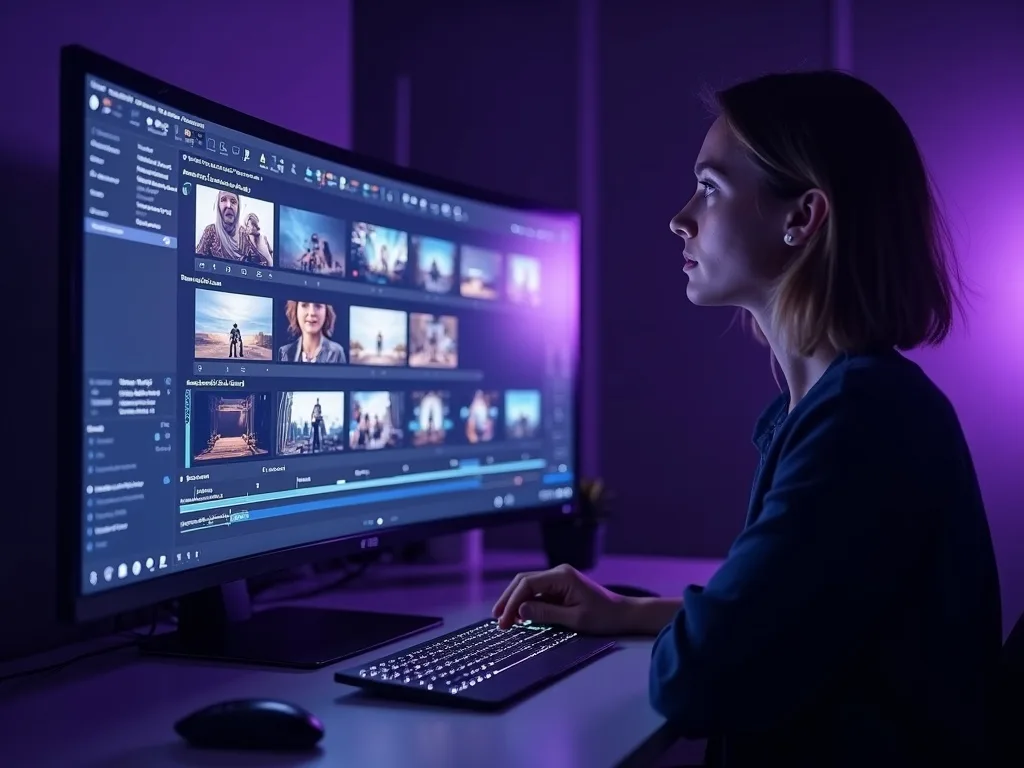
Describe the video you want and the agent drafts the plan — scenes, script, pacing — before anything renders. You review it like a document, adjust the beats, and only then does generation spend a second of your time.
It's the workflow professionals use, automated: pre-production first, rendering second.
Veo 3.1 for realism, Kling for motion, PixVerse for anime, Sora 2 for cinematic scope — each scene in your video can use the engine that suits it best, without juggling five subscriptions and five interfaces.
When a new model ships, it appears here — your workflow never changes.
A video isn't finished until it sounds finished. The generator voices your script with natural AI voices in 50+ languages, lays music under the cut, and burns in captions for sound-off viewers — one pass, no separate audio tools.
Swap the voice, re-time the music or restyle captions without regenerating the video.
AI voiceover in 50+ languages, cloned or from the library
Captions styled by your brand kit, burned in or SRT
Music beds matched to pacing automatically
Most tools cap at seconds; real content needs minutes. Generate videos up to 10 minutes long — full YouTube videos, course lessons, product walkthroughs — with scenes planned as one continuous story.
The free AI video generator tier lets you prove all of this before paying anything.
Up to 10-minute videos from a single project
Scene-to-scene consistency in style and casting
Free to start — no credit card, no trial clock
Half a million creators — these are the archetypes:
Scriptwriter, camera crew, editor, voice actor, translator — this studio plays every role for the price of none of them.
The generator does the jobs you'd otherwise contract out: scene planning, footage, voiceover, music and captions. Small teams ship agency-grade video on a software subscription.
4.7 ★
Trustpilot
4.5 ★
G2
5.0 ★
Capterra
4.5 ★
App Store
Based on 1624 combined reviews across Trustpilot, G2, Capterra and the App Store
The demo tour: how the agent plans scenes, how 30+ models render them, and how the finished video lands ready to post.
Yes. You can start generating videos free, with no credit card required. Free generations let you try text-to-video, image-to-video, avatars and templates; heavier usage and premium models are covered by a paid plan.
The best free AI video generator is the one that doesn’t lock you to a single model. Vivideo is built around 30+ top models (Veo, Sora, Kling, Seedance, WAN and more) on one plan, plus avatars, voices and brand kits — so you get the right engine for every shot instead of one compromise.
Open Vivideo, describe the video you want (subject, style, camera, mood), choose a model or let the agent pick, set duration and aspect ratio, and generate. You’ll get a clip in a few minutes that you can refine with follow-up prompts.
Yes. Upload any still image — a product shot, logo, or photo — describe the motion you want, and Vivideo animates it. Image-to-video is ideal for ecommerce, logos and bringing existing assets to life.
Vivideo includes 30+ models from Google (Veo), OpenAI (Sora), Kling, ByteDance (Seedance), Alibaba (WAN), xAI (Grok), PixVerse, Lightricks (LTX-2), Luma, Pika, MiniMax and more — all on one subscription, switchable per shot.
No. The Video Agent can plan scenes, cast an avatar and voice, and assemble the video for you. If you want control, Manual mode lets you pick models and parameters shot by shot.
Yes. Vivideo includes lifelike AI avatars (including a digital twin from your footage) and AI voices with cloning in dozens of languages, lip-synced to your avatar and reusable across videos.
You can generate vertical (9:16), square (1:1) and widescreen (16:9) for TikTok, Reels, Shorts and YouTube, up to 4K on supported models. Vivideo shows each model’s limits before you generate.
Several models generate native, synchronized audio. For models that output silent video, you can add AI voiceover, music, or your own track inside Vivideo.
Most clips render in a few minutes, depending on the model, length and resolution. Faster models are great for drafts; premium models take a little longer for hero shots.
Yes. Videos you create are yours to use, including for commercial projects such as ads, social content, client work and products, under your plan’s terms.
Single-model tools give you one engine’s look. Vivideo gives you 30+ models on one plan plus a creative agent, avatars, voices, brand kits and templates — so you can switch models per shot and keep everything on-brand in one place.
Yes. Generate in vertical formats, start from social-ready templates, and publish to TikTok, Instagram, YouTube and more — Vivideo can even auto-format one render for every platform.
Vivideo’s avatars and voices speak dozens of languages, and the product is available in 30 languages — so you can localize a video for global audiences from one script.
Vivideo runs in the EU (Frankfurt) and treats your uploads and generated videos as private to your account. See the Privacy Policy for details.
Free-plan exports carry a small watermark. Every paid plan exports with no watermark — if you searched for an AI video generator without watermark, the affordable Pro plan is the clean-export path. Everything you make is yours to publish anywhere online.
Rendering video costs real GPU time, so "unlimited" offers usually hide a catch — watermarks, queues, or low resolution. Vivideo is honest about it: free generations renew daily, and the Pro and Max plans cover high-volume work with premium models and no hidden quality caps.